

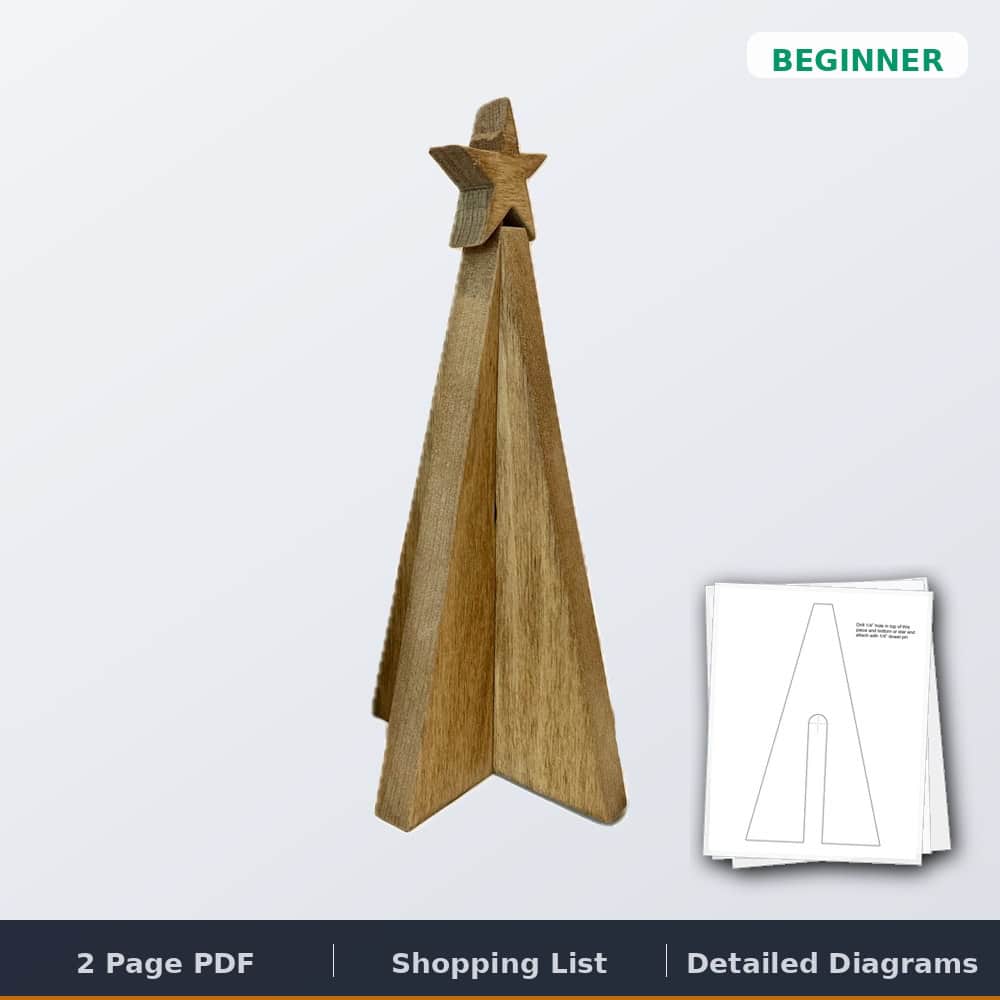

Christmas Tree Template
$0.00
Printable wooden Christmas tree templates for a tabletop tree with two interlocking halves and a star on a 1/4″ dowel, cut from one 1x6x3′ board. The PDF includes full-size patterns, drill marks, and a tools and supplies list. Print at 100%, stick it down and cut. Instant download.
Free plan — we'll email your download link, along with weekly build ideas and new free plans. Unsubscribe anytime.
✓ Instant download · Personal use license · Secure checkout via Stripe
Description
Wooden Christmas tree template: printable patterns for a tabletop tree
These are the printable templates for the small tabletop wooden Christmas tree I made for our holiday decor. Two tree halves slide together with a half lap, and a star sits on top on a 1/4″ dowel. All it takes is a 3′ piece of 1×6, a dowel pin and a saw that can follow a line. Print the templates, stick them to the board, cut along the lines and you’re done in a day. It’s a beginner project that comes in around $10.
Watch the build
What you get
- Printable PDF templates, instant download
- Full-size patterns for both tree halves and the star
- Drill marks for the slot holes and the star dowel
- Tools and supplies list
Specs
- Pieces: 2 interlocking tree halves and 1 star
- Build time: 1 day
- Skill level: Beginner
- Estimated cost: about $10
Lumber you’ll need
- 1 board, 1x6x3′
Hardware and supplies
- 1/4″ wood dowel pin (attaches the star)
- Spray adhesive (sticks the templates to the board)
- Wood glue (optional)
Tools you’ll need
- Jigsaw, scroll saw or band saw
- Circular saw (optional, for cleaner straight cuts)
- Drill with 3/4″ and 1/4″ Forstner bits
- Safety glasses and hearing protection
Common questions
How do I print the templates? Print them at 100% scale. You may need to uncheck “scale to fit” or a similar option in your print settings. Cut the star off the one template, fit it between the two tree parts on your board, and stick everything down with spray adhesive.
How do the two halves fit together? Drill out the crosshair marks with a 3/4″ Forstner bit for a clean hole, then finish the half lap slots with a jigsaw. The two parts slide together snug.
Do I need glue? No. Everything fits together pretty snug, so glue is optional. Use it if you want a permanent assembly. The star goes on with a 1/4″ dowel in holes drilled in the bottom of the star and the top of the tree.
Want to see it first? The full tutorial is on the blog: DIY wooden Christmas tree. It pairs with my wooden star decor and the Christmas tree shelves.
Quick answers


19 reviews for Christmas Tree Template
There are no reviews yet.